Vehicle Compatibility and ECM Unlock Requirements
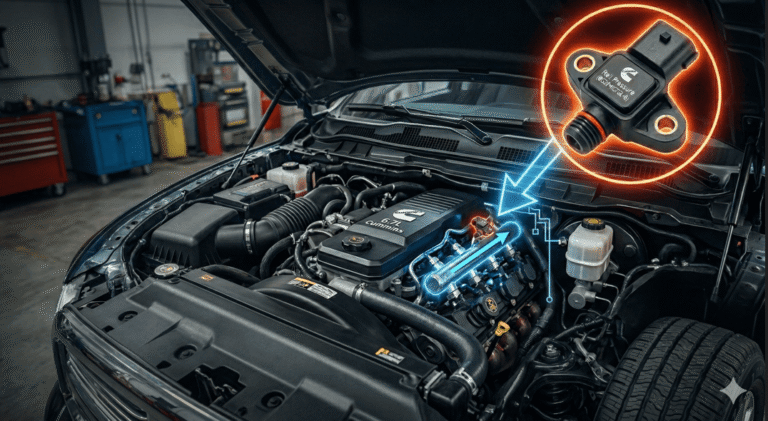
The RaceME Ultra tuner supports 2007.5 through 2018 Dodge Ram 2500, 3500, 4500, and 5500 trucks equipped with the 6.7L Cummins diesel engine, requiring an external ECM unlock cable for 2013 and newer models.
| Model Year | Engine Variant | Chassis Type | Required Hardware | ECM Unlock Protocol |
|---|---|---|---|---|
| 2007.5 – 2009 | 6.7L Cummins ISB | Pickup Only | Base RaceME Ultra Unit | Direct OBD2 Flash |
| 2010 – 2012 | 6.7L Cummins ISB | Pickup & Cab/Chassis | Base RaceME Ultra Unit | Direct OBD2 Flash |
| 2013 – 2017 | 6.7L Cummins ISB | Pickup & Cab/Chassis | Base Unit + Unlock Cable | Hardware Dongle ECM Unlock |
| 2018 | 6.7L Cummins ISB | Pickup & Cab/Chassis | Base Unit + 2018 Security Bypass | Security Gateway Bypass Cable |
| 2019+ | 6.7L Cummins ISB | All | Incompatible | Requires ECM Swap / Unauthorized |
Power Levels and Real-Time WARP Tuning
The RaceME Ultra delivers up to 200 additional horsepower over stock across five pre-programmed power levels and allows on-the-fly software adjustments without re-flashing the ECM.
- Level 0 (Stock): 0 HP gain. Retains factory fuel delivery and timing maps.
- Level 1 (Tow): +30 HP gain. Optimized for heavy hauling with low exhaust gas temperatures (EGT).
- Level 2 (Economy): +60 HP gain. Adjusts injection timing for fuel efficiency during unladen highway driving.
- Level 3 (Street): +120 HP gain. Increased fuel rail pressure and altered injection duration for daily performance.
- Level 4 (Performance): +150 HP to +200 HP gain. Maximum fuel and boost output intended for modified drivelines.
Custom tuning capability is supported through RaceME WARP software, which enables custom map creation including .warp file editing for custom turbochargers, modified injectors, and altered fuel pump delivery profiles.
Transmission Tuning Comparison: 68RFE vs. Aisin AS69RC
RaceME Ultra transmission software modifies shift points and increases line pressure up to 225 psi exclusively for the 68RFE automatic transmission, whereas Aisin AS69RC transmissions cannot be tuned via TCM flashing.
| Parameter | Factory 68RFE | RaceME Ultra Tuned 68RFE | Aisin AS69RC |
|---|---|---|---|
| Max Line Pressure | 160 – 170 psi | Up to 225 psi | Fixed Mechanical (Factory) |
| Shift Point Timing | Standard Torque Converter Lockup | Early Torque Converter Lockup | Factory Locked Map |
| Clutch Torque Capacity | OEM Standard Limits | Increased Hold Capacity (+30%) | Factory Mechanical Limit |
| TCM Flash Support | Supported via OBD2 | Fully Supported via OBD2 | Not Supported (Read-Only) |
Step-by-Step Installation Procedure
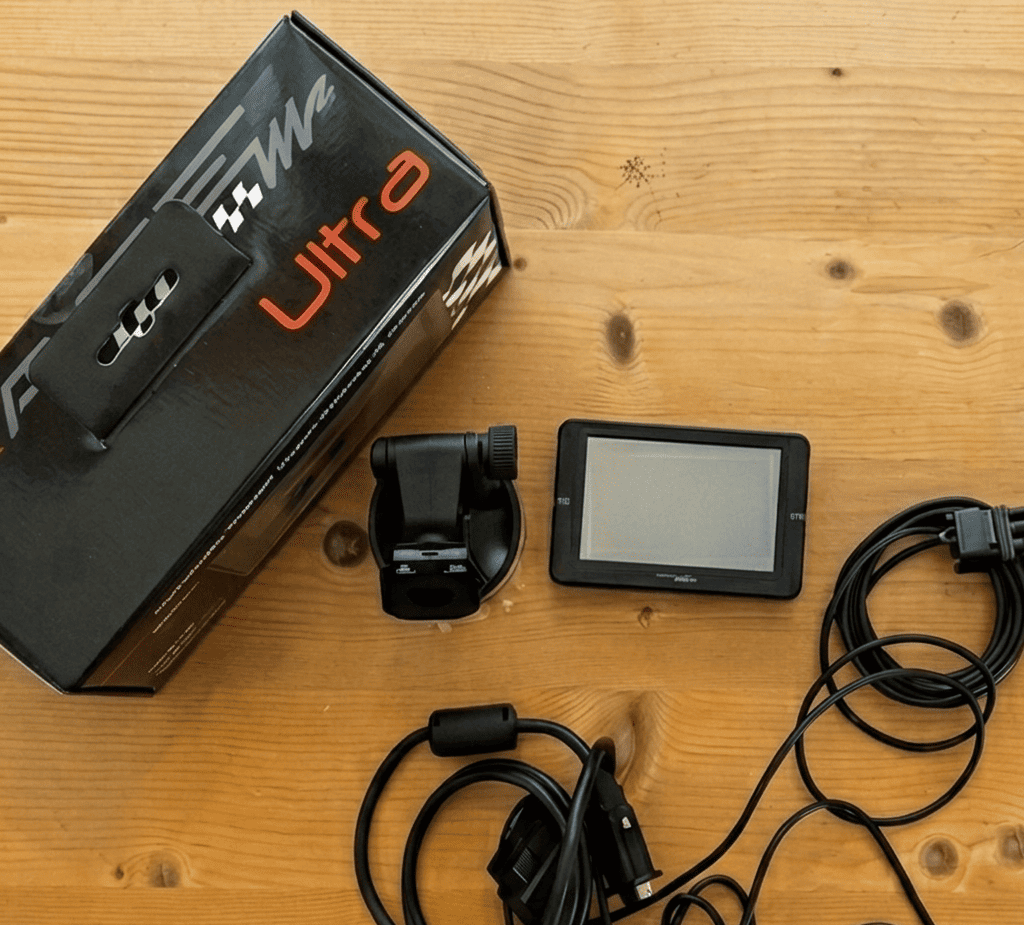
Installing the RaceME Ultra requires connecting the OBD2 cable to the vehicle dash port, routing the harness through the firewall, and flashing the factory ECM while maintaining a constant battery voltage above 12.5V.
- Turn the ignition key to the OFF position and connect a 10A battery charger to ensure voltage stability throughout the flashing process.
- Plug the RaceME Ultra main OBD2 cable into the vehicle diagnostic port located under the driver-side dashboard.
- Attach the unlock dongle cable inline between the main OBD2 harness and the tuner controller for vehicles manufactured between 2013 and 2018.
- Mount the RaceME Ultra display unit to the A-pillar or windshield using the provided suction mount or pillar bracket adapter.
- Turn the ignition key to the RUN position with the engine off (KEY-ON, ENGINE-OFF).
- Select Tuner Options on the touch screen interface, choose the matching vehicle model year, and execute the ECM Unlock protocol.
- Select the desired power level and transmission profile, then confirm the prompt to write the file to the ECM.
- Wait for the progress bar to reach 100%, cycle the key to the OFF position for 30 seconds when prompted, and start the engine.
LED Status Codes and ECM Recovery Troubleshooting
Alternating red and green flashing LEDs on the RaceME Ultra hardware module indicate an interrupted firmware flash sequence or an active ECM recovery mode.
- Disconnect the tuner hardware from the OBD2 port and turn the vehicle ignition completely OFF.
- Inspect the MicroSD card slot on the side of the RaceME Ultra unit to ensure the memory card containing the latest firmware file is fully seated.
- Reinsert the OBD2 connector into the diagnostic port while holding the power button on the display monitor.
- Select ECM Recovery Mode on the startup menu to restore the factory backup stock file.
- Verify that battery voltage remains above 12.5V, clear all Diagnostic Trouble Codes (DTCs), and re-attempt the flash procedure.
Legal Status and Single-VIN Licensing Rules
The RaceME Ultra permanently locks its serial number to a single Vehicle Identification Number (VIN) upon initial write and operates strictly as an off-road or competition-use device exempt from EPA street compliance.
- EPA Clean Air Act Compliance: This device disables emissions control components (DPF, EGR, DEF) and is legally prohibited for use on public roads, highways, or public land in North America and the EU.
- VIN Lock Protocol: Writing a tune to an ECM permanently ties the tuner unit to that vehicle’s VIN. The unit cannot tune a second vehicle simultaneously.
- Vehicle Transfer Procedure: To unlock the RaceME Ultra for use on a different vehicle, the original vehicle must be flashed back to its factory stock file. Unlinking transfers the primary license, resetting the device for a new VIN registration.