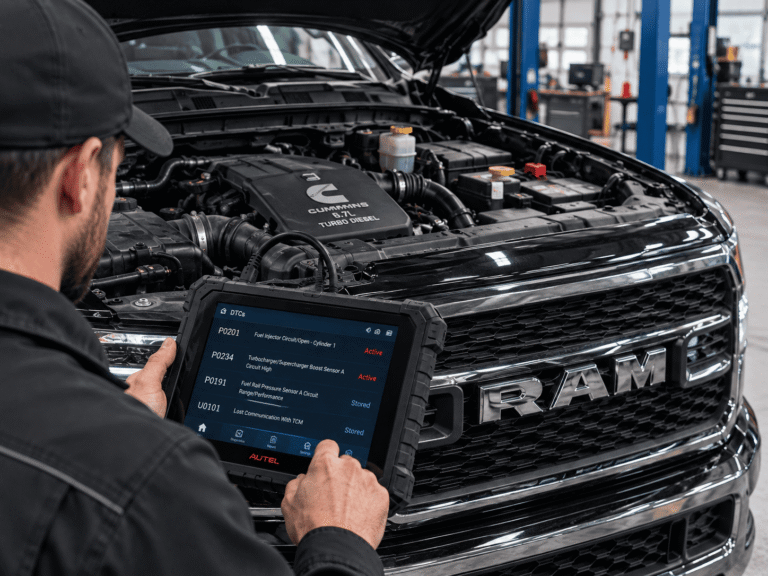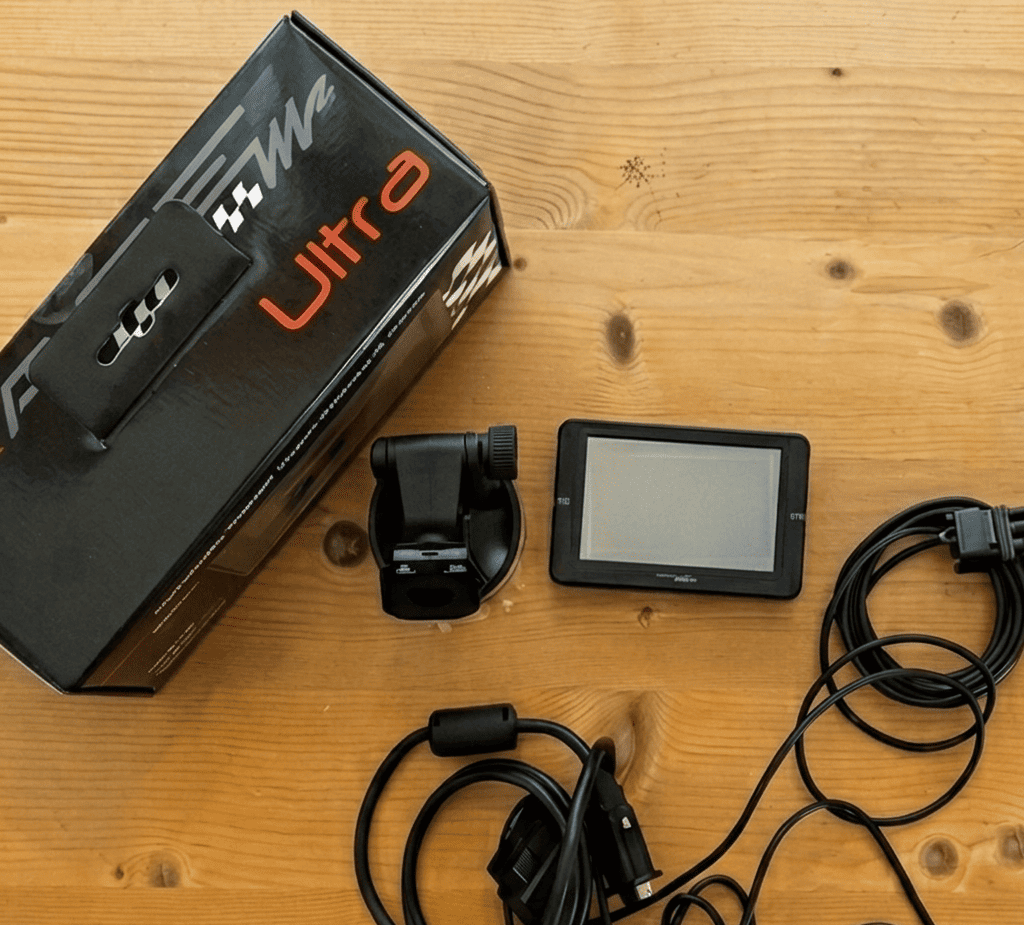
The RaceMe Ultra is a plug-in OBD-II tuner and digital monitor for 2007.5–2024 Ram 2500, 3500, 4500 and 5500 trucks with the 6.7L Cummins. 2011–2012 Cab & Chassis trucks (Ram 3500, 4500 and 5500) are not supported. It has 5 power levels (up to +200 hp at the rear wheels), switches levels in real time (RT), tunes the 68RFE transmission on 2007.5–2018 trucks and shows live gauges, including an optional EGT probe. Trucks from 2013 on need the included unlock cable. 2022–2024 trucks also need a 2019–2021 ECM. The Ultra works only on trucks with the emissions equipment removed.
RaceMe sells the Ultra for off-road and competition use only.
RaceMe Ultra Technical Specifications
The RaceMe Ultra has two parts: a controller that writes the ECM/TCM calibration, and a touchscreen monitor that shows gauges and settings. Calibration files and updates are stored on a MicroSD card.
| Parameter | Specification |
|---|---|
| Engine | Cummins 6.7L ISB (Ram 2500, 3500, 4500, 5500) |
| Model years | Pickup 2007.5–2024; Cab & Chassis 2007–2010 and 2013–2022. 2011–2012 Cab & Chassis is not supported |
| Emissions equipment | Runs only on trucks with the emissions equipment removed. There are no tunes for trucks with DPF, EGR or SCR/DEF still installed |
| Power levels | 5 (Level 0–4), up to +200 hp at the rear wheels; actual gain depends on model year |
| Level switching | RT (Real Time programming), formerly OTF; no re-flash needed to change levels |
| Transmission tuning | 68RFE only, built in for 2007.5–2018 trucks; line pressure up to 225 psi. Aisin AS69RC is not supported |
| Connection | OBD-II port + RSA unlock cable/dongle (2013+) |
| Storage | MicroSD card, FAT32 |
| Monitoring | Multi-gauge dashboards (Cummins PIDs), boost, temperatures, EGT with the optional probe |
| Other functions | Read/clear DTCs, speedometer recalibration for tire size, TPMS pressure setting, adjustable speed limiter, injection timing, built-in ECM recovery (no bench recovery needed) |
| Grid heater delete | Not included in the box tunes; available only with a custom tune |
| Phone app | None |
| License | 1 VIN included, expandable to 4 trucks |
| Updates | Free, via MicroSD or the RaceMe Agent auto-updater (Windows) |
Compatibility by Model Year
Compatibility depends on model year and chassis. 2007.5–2012 trucks flash directly over OBD-II. 2013–2021 trucks need the RSA unlock cable. 2022–2024 trucks require a 2019–2021 ECM swap.
| Model year | Pickup (PU) | Cab & Chassis (C&C) | Required hardware | Tune type |
|---|---|---|---|---|
| 2007.5–2010 | Supported | Supported | Base unit, direct OBD-II flash | Box tunes + custom |
| 2011–2012 | Supported | Not supported | Base unit, direct OBD-II flash | Box tunes + custom (pickup only) |
| 2013–2018 | Supported | Supported | Base unit + RSA unlock cable (included) | Box tunes + custom |
| 2019–2021 | Supported | Supported | Base unit + RSA unlock cable | Custom tune only (no box tunes) |
| 2022 | Supported with ECM swap | Supported with ECM swap | 2019–2021 ECM + recovery file | Custom tune only |
| 2023–2024 | Supported with ECM swap | Not listed | 2019–2021 ECM + recovery file | Custom tune only |
| South American (BUX) | Not supported | Not supported | — | — |
2011–2012 Cab & Chassis: RaceMe does not support 2011–2012 Ram 3500, 4500 and 5500 Cab & Chassis trucks, with box tunes or custom tunes.
Unlock cable: when you need it
The RSA unlock cable unlocks the ECM on 2013+ trucks and comes in the box. On every 2010+ truck, keep the dongle connected after tuning: unplugging it turns on the check-engine light without storing a DTC. On 2010–2015 trucks, the cable also has to stay connected for RT level switching.
Security Gateway (SGW) bypass cable
The Ultra does not need a Security Gateway bypass cable on a truck with a working SGW module, including 2018 trucks. Install a bypass cable only if the SGW module has failed. Do not install one while the module is still active.
Power Levels and Real-Time (RT) Switching
The Ultra stores 5 power levels in one flash, and you switch between them in the RT menu without re-flashing the ECM. RaceMe’s gains per level are below. These are manufacturer figures, not independent dyno results.
| Level | RaceMe label | Claimed gain | Intended use |
|---|---|---|---|
| 0 | Stock | 0 hp | Stock power |
| 1 | Tow | +30 hp | Heavy loads, lowest EGT |
| 2 | Economy | +60 hp | Unloaded highway driving, revised injection timing |
| 3 | Street | +120 hp | Higher rail pressure and longer injection duration |
| 4 | Performance | +150 to +200 hp | Built drivelines (transmission, injectors, turbo) |
Level 0 means stock power, not the stock emissions calibration. All levels, including Level 0, require a truck with the emissions equipment removed.
Tip for towing: Tow on Level 1 and watch EGT on a live gauge. Add the RaceMe EGT probe for an accurate reading.
Custom tunes and WARP files
Box tunes (the preloaded levels) cover 2007.5–2018 trucks. 2019–2024 trucks, and trucks with aftermarket turbos, injectors (for example, BBI) or CP3 fuel pumps, need a custom tune. A grid heater delete is also available only with a custom tune; the box tunes do not support it. Custom tunes are sold separately and delivered as .warp files built in RaceMe WARP software (WARP License Key).
Transmission Tuning (68RFE vs. Aisin)
The RaceMe Ultra tunes only the 68RFE automatic. Built-in transmission tuning covers 2007.5–2018 trucks only. It cannot flash the TCM on the Aisin AS69RC.
| Parameter | 68RFE stock | 68RFE tuned by RaceMe Ultra (2007.5–2018) | Aisin AS69RC |
|---|---|---|---|
| Line pressure | 160–170 psi | Up to 225 psi (aftermarket-built transmission) | Not tunable |
| Shift feel | Factory | Firmer shifts to reduce clutch slip | Not tunable |
| Torque converter lockup | Factory | Earlier lockup | Not tunable |
What’s in the Box
| Item | Details |
|---|---|
| In the box | Ultra monitor, controller, OBD-II cable, ECM unlock cables and hardware, MicroSD card with software, 1 VIN license, stock power delete file |
| Sold separately | Custom tunes, EGT probe kit, extra VIN licenses (up to 4 trucks) |
| VIN license rule | Locks to the VIN on the first ECM write. To move it, flash the first truck back to stock |
| Updates | Free |
| Guarantee | 30-day money-back |
| Shipping | 2–3 business days within the US and Canada; no shipping to California |
Bundles with the Ultra: Hauler Pack, Fleet Pack and Master Kit.
Legal Status and Intended Use
The RaceMe Ultra is not legal for public-road use in the United States when it is used to remove or disable emissions controls. The Ultra works only on trucks with the emissions equipment removed. RaceMe sells it for off-road, competition and organized racing use, or for export.
- It has no CARB Executive Order (EO), and RaceMe does not ship to California.
- Under the federal Clean Air Act, removing or disabling DPF, EGR or SCR/DEF systems on a road-registered vehicle counts as tampering. An “off-road only” label does not make street use legal.
- Emission modifications can affect your factory warranty, state inspections and insurance. Check your state’s laws before you install it.
Read RaceMe’s Conditions of Use, Warranty and Brand & Seller Notice. Buy only on racemeofficial.com. RaceMe is not affiliated with racemecanada.com or other look-alike sites.
How to Install the RaceMe Ultra
Installation is plug-and-play through the OBD-II port, needs no special tools and usually takes under an hour. Battery voltage is the most important factor: keep it above 12.5 V the whole time. Flashing below 12.3 V causes errors.
- Turn the ignition off and connect a 10–15 A battery charger. If it has a flash mode, set it to 14.2 V.
- Plug the main OBD-II cable into the diagnostic port under the driver-side dash.
- 2013+ trucks: install the RSA unlock cable between the vehicle harness and the controller. Do not install a Security Gateway bypass cable unless the SGW module has failed.
- Optional EGT probe: connect the probe to the controller before you plug in the OBD-II cable.
- Connect the micro USB cable between the controller and the monitor with the “B” logo facing down on both ends. Damage from a reversed cable is not covered by the warranty.
- Mount the monitor on the A-pillar or the windshield.
- Turn the key to RUN with the engine off. Turn off aftermarket CAN devices (GPS, audio).
- Update the tuner to the latest software before your first flash (see the next section).
- In Tuner Options, select your model year and run the ECM unlock (2013+).
- Select a power level and a transmission profile (68RFE, 2007.5–2018 only), then write to the ECM.
- When the progress bar reaches 100%, turn the key off for 30 seconds, then start the engine.
- Run RT programming once with the key on and the engine off. After that, RT works with the engine running.
Manuals (PDF): Hardware Connection · Programming · EGT Probe · Gauge Abbreviation Index
Gauges and EGT setup
For stable gauges, use Cummins PIDs only. SAE PIDs such as timing freeze the display or show hourglass icons. To fix it, go to Config tools → Dashboards → Reset Dashboards and Parameter Config → YES.
How to Update the RaceMe Ultra
Update the tuner before the first flash, because units can ship with older software. Updates are free, and you install them from a FAT32 MicroSD card or with the RaceMe Agent auto-updater.
- Download the latest package from Product Updates, or install RaceMe Agent (Windows).
- Format the MicroSD card as FAT32 on a Windows PC. Mac-written file names have caused failures.
- Extract the .7z package with 7-Zip into the card’s root folder. Don’t mix in old files.
- Copy the firmware file to the card’s root folder, then unplug and re-plug the OBD-II cable so both units cold-start. Or update manually: Config tools → Firmware update.
- Check the version number in the bottom-left corner of the main menu against the Product Updates page.
- Re-flash the truck so the new features are written to the ECM.
SD card or screen problems during an update (for example, a black screen, an SD card error or a frozen display) are fixed on the tuner itself. See Troubleshooting below. They never require bench recovery of the ECM.
2022–2024 trucks: ECM swap procedure
- With the OBD-II cable and RSA unlock connected and the key on (engine off), go to Settings → Service Codes and enter 4666.
- Photograph the Config tools → ECM Information screen and email it to RaceMe with the transmission type, model year and a photo of the door sticker.
- Install a 2019–2021 ECM.
- Update the Ultra, then enter Service Code 6625. It must end with “ECM’s BL data read!”
- Program the recovery file, then the custom tune file. If error 14101 appears, repeat code 6625 and restart the recovery.
Troubleshooting and Error Codes
Most RaceMe Ultra errors come from three things: the SD card, the unlock cable connection or low battery voltage.
| Code / symptom | Cause | Fix |
|---|---|---|
| 20002 | No valid SD card | Format as FAT32 and reinstall the update package |
| Error 1 | SD file system problem | Reformat and reinstall the file system |
| 7000-series | Old and new files mixed on the card | Format and extract again |
| White SD icon / “No valid SD card” | File missing in the “data” folder | Format and re-extract the update |
| 14000 / 15210 | Unlock cable communication (2010+) | Connect the RSA unlock cable |
| 15000 | Connection fault | Check the controller, dongle and OBD-II connections |
| 15010–15050 | Controller–dongle link | Reseat the controller–dongle connection |
| 15200 / 15211 | Dongle–ECM link | Check the dongle and engine-bay connector |
| 15212 | Flash failed | Request a recovery file from RaceMe |
| 15102 (2007–2009) | RT run with the engine on before init | Run RT once with the key on and the engine off |
| 12161 / 12163 | Engine running during programming | Tuner restores stock; if it repeats, disconnect both battery negatives for 30 min |
| 18053 | Function used with the key off | Turn the key to RUN |
| 30015 | VIN request installed on the wrong tuner | Install it on the tuner it was requested for |
| 10011 | Certificate failed (updated while a VIN license was pending) | Contact RaceMe to resubmit |
| “Unknown software” | Outdated tuner, or another tuner was used before | Update; ask RaceMe for a recovery file |
| Loop “KEY ON / KEY OFF” | CAN conflict with an aftermarket device | Turn off or remove the GPS/audio device |
| Frozen gauges / hourglass | SAE PIDs selected | Reset dashboards; use Cummins PIDs |
| EGT missing from Temp menu | Probe detected after OBD-II power-up | Unplug OBD-II, reconnect the probe, wait 30 s, plug OBD-II back in |
Flashing red and green light
Alternating red and green flashes usually point to the 1.5 m micro USB cable between the controller and the display. A standard micro USB cable works as a replacement.
- With the key off, unplug the OBD-II and USB cables from the screen.
- Pull the dongle from the controller and wait 10 minutes.
- Reconnect everything and the USB cable, but leave the SD card out.
- Plug in OBD-II and start the tuner by touching the screen.
- Turn the tuner off, insert the SD card, then turn the key on.
Interrupted or failed flash
If a flash was interrupted: power down, reseat the MicroSD card, hold the display power button while you reconnect, and choose ECM Recovery Mode to restore the stock backup. If the flash failed (error 15212), request a recovery file from RaceMe.
The RaceMe Ultra does not brick the ECM. A RaceMe-tuned ECM never needs bench recovery, boot mode, a bench harness, third-party flashing tools or a replacement ECM. Advice found online about these fixes does not apply to the RaceMe Ultra.
To report a problem, send the progprot.txt file from the SD card root. Or send photos of the Ultra Info, VIN Lock Check and ECM Information screens. See the full DTC Manual (PDF).
FAQ
More answers are in the full RaceMe Ultra FAQ and in RaceMe’s Guides.
Does the RaceMe Ultra work on a 2022–2024 Ram 6.7 Cummins?
Yes, but only after the factory ECM is replaced with a 2019–2021 ECM and a custom tune is installed. Box tunes are not available for 2019–2024 trucks.
Does the RaceMe Ultra work on a 2011–2012 Ram 3500, 4500 or 5500 Cab & Chassis?
No. RaceMe does not support 2011–2012 Cab & Chassis trucks, with box tunes or custom tunes. 2011–2012 pickups are supported.
Can I use the RaceMe Ultra on a truck that still has its emissions equipment?
No. The Ultra works only on trucks with the emissions equipment removed. There is no tune for a truck with DPF, EGR or SCR/DEF still installed, and Level 0 (Stock) is stock power, not the stock emissions calibration.
Can the RaceMe Ultra brick my ECM?
No. If a flash is interrupted, the Ultra restores the stock backup in ECM Recovery Mode, and RaceMe supplies a recovery file if a flash fails. A RaceMe-tuned ECM never needs bench recovery or boot mode.
Can I use one RaceMe Ultra on two trucks?
Not at the same time. The license locks to one VIN on the first write. To move it, return the first truck to stock, or buy extra licenses (up to 4 trucks).
Does the RaceMe Ultra tune the Aisin transmission?
No. Transmission tuning supports only the 68RFE.
Which model years get built-in transmission tuning?
2007.5–2018 trucks with the 68RFE. Built-in transmission tuning is not available on 2019 and newer trucks.
Do I need a Security Gateway bypass cable on a 2018 Ram?
Only if the Security Gateway (SGW) module has failed. Do not install a bypass cable while the module is still active.
Does the RaceMe Ultra support a grid heater delete?
Not with the box tunes. A grid heater delete is available only with a custom tune.
What is error 20002?
Error 20002 means the tuner can’t find a valid SD card. Format the card as FAT32 on a Windows PC and reinstall the update package.
Where is the “switch on the fly” (OTF) function?
Since firmware 1.1.1, OTF is called RT (Real Time programming). You find it in the Gauges menu, and it works the same way.
Is there a phone app?
No. RaceMe left out wireless and app control on purpose, because remote access to the CAN bus could expose safety systems such as brakes and airbags.
Is the RaceMe Ultra street legal?
No, not when it is used to delete emissions equipment. It is sold for off-road, competition and export use, and RaceMe does not ship to California.
How do I get support?
Email darin@racemeofficial.com, call/text +1-306-527-5850 or use the contact page. Have your progprot.txt file and screenshots of the ECM Information screen ready.